
News
OpenScreen 2.4 adds exact-pixel cropping and recording audio mute
The free screen recorder adds numerical crop fields and shows the output length of sped-up footage.
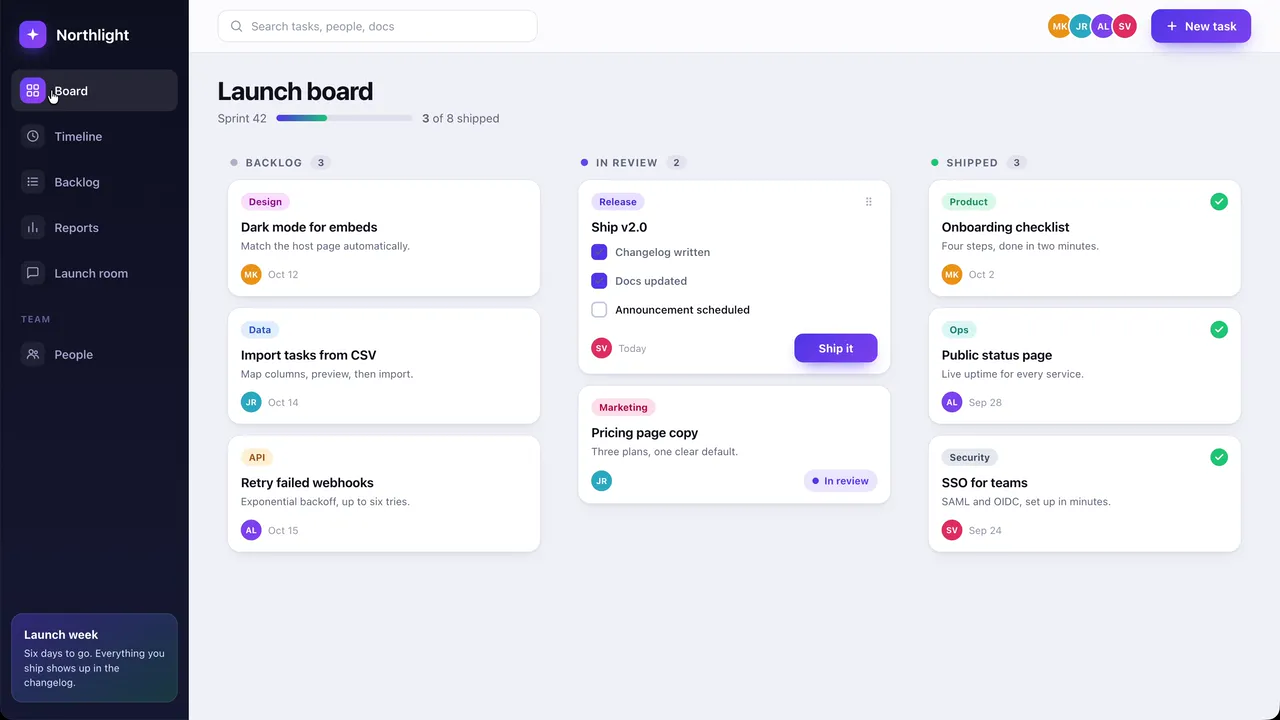
OpenScreen 2.4 brings a little more precision to editing a screen recording. The November 23 update adds numerical values to the crop tool, shows how much time a speed-adjusted section will occupy in the final video, and lets you mute the recording’s own audio. The changes are useful if you record short walkthroughs and want to spend less time cleaning up the capture before it is ready to share.
Match crops from shot to shot
Dragging a crop box works fine if one clip is all you need. It gets fussier when you want several recordings to line up. The new X, Y, width and height fields give you a way to cut each recording to the same rectangular region. That’s useful if a panel or bit of browser chrome sits just outside what you want the audience to see. It also makes a crop easier to repeat without relying on where you happen to drag the cursor.
The duration display fixes another bit of guesswork. A video may have room for six seconds of screen setup, but your recorded mouse movements might take longer. You can now read the resulting duration instead of working backward from a speed multiplier.
When the recording has the wrong sound
Muting the recorded audio makes sense if you’ve already narrated a clip separately, or if the screen capture contains system sounds you don’t want to keep. That’s an editing option, not a claim that the app can clean up or isolate sounds by itself. The official release notes also list recording and camera fixes. OpenScreen is available on Windows, macOS and Linux; check the notes for fixes that specifically apply to your platform before assuming all three get the same changes.

Letters to the editor
0 commentsNo comments yet. Be the first to write in.