
Software
CapivaOS brings Android 17 and a Googlebook-style desktop to ordinary x86 PCs
A community developer is testing a desktop-oriented LineageOS port for compatible Intel and AMD PCs, with windowed apps and a custom file manager.
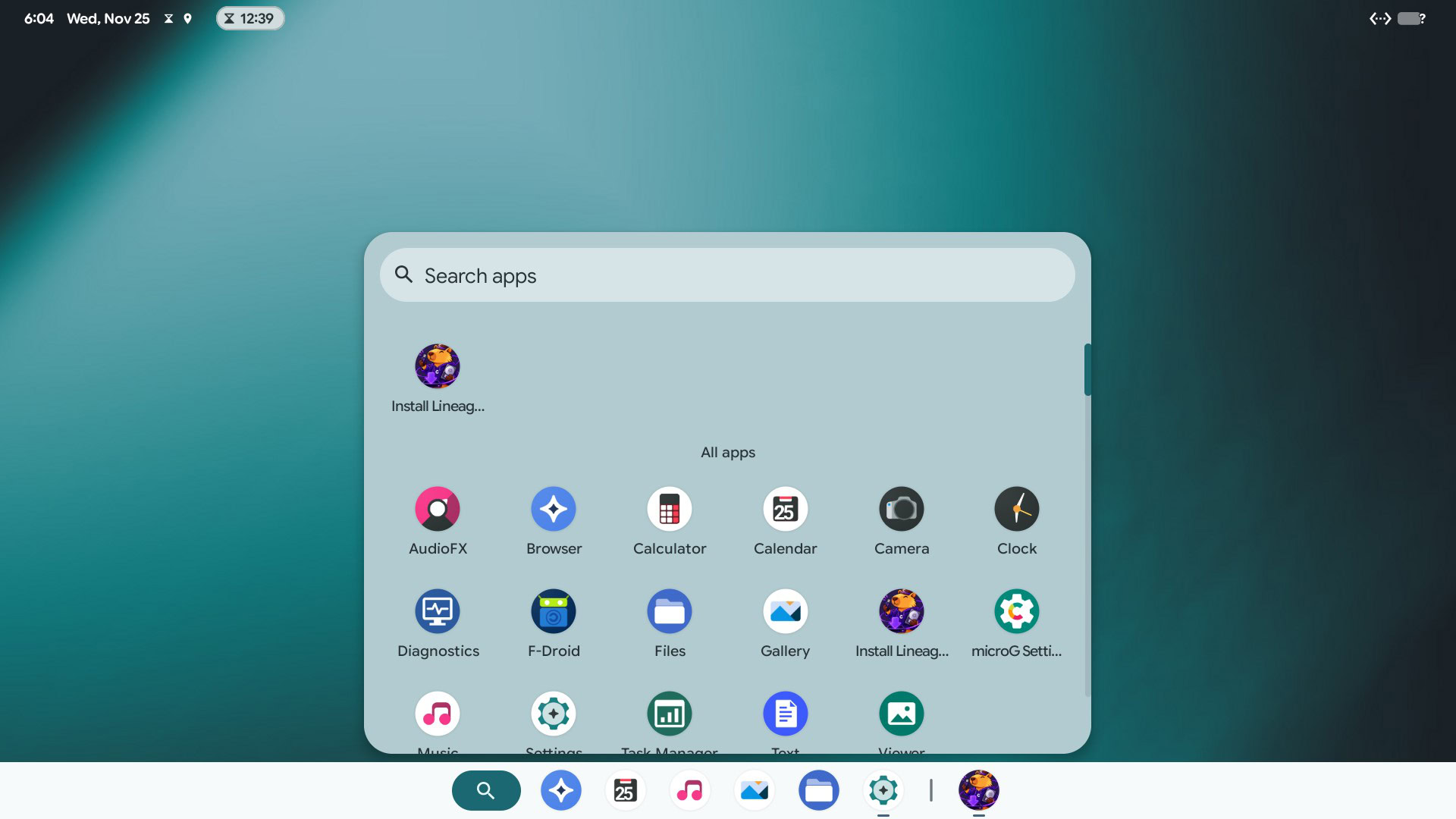
A community project called CapivaOS is attempting to bring the latest generation of Android to a device category not normally associated with mobile operating systems: regular x86-64 desktop and laptop PCs. The project is based on LineageOS 24, which uses Android 17, and includes a customized desktop interface inspired by Googlebook computers. Its developer has shared the project and screenshots of the current build publicly.
This is not simply a phone layout stretched across a laptop display. The interface presents apps in movable windows with title bars and incorporates a taskbar, launcher, quick settings panel, notifications and keyboard shortcuts. The developer has also built several basic desktop-style utilities, including a file manager with tabs and a sidebar, a text editor, a file viewer and tools for monitoring system resources. These address some of the differences between using Android on a touchscreen and using it with a mouse and keyboard.
Experimental hardware support
Compatibility is still a major limitation. The project developer suggests a rough minimum of 4GB of RAM and a 64-bit Intel or AMD processor with SSE4.2 support, with 8GB RAM preferred. The project has undergone substantial testing in virtual machines, but physical computer testing is at an earlier stage. More recent Intel integrated graphics and certain AMD configurations are among the intended targets; older hardware, NVIDIA graphics and wireless connectivity may be less predictable.
The project is independent of Google and is not an official LineageOS desktop release. It includes alternative app distribution tools rather than bundling Google’s proprietary application suite, and the developer is still working on Linux desktop application compatibility. The initial build also lacks the degree of security enforcement expected from a mature consumer operating system, so users should not rely on it for sensitive data or as a daily operating system on a primary computer.
For enthusiasts, the project is nevertheless a fascinating example of how a familiar mobile operating system can be adapted to a more desktop-like form. It could eventually give some older computers another useful role, but CapivaOS remains an experimental community build, and there is no guarantee it will work on every PC. Developer’s project announcement.


Letters to the editor
0 commentsNo comments yet. Be the first to write in.