
News
WhatsApp tests its own cloud backup with 2GB free on Android and iPhone
The beta gives some WhatsApp users an alternative to iCloud and Google Drive. The option is not yet available to everyone, and it won’t restore chats across platforms.
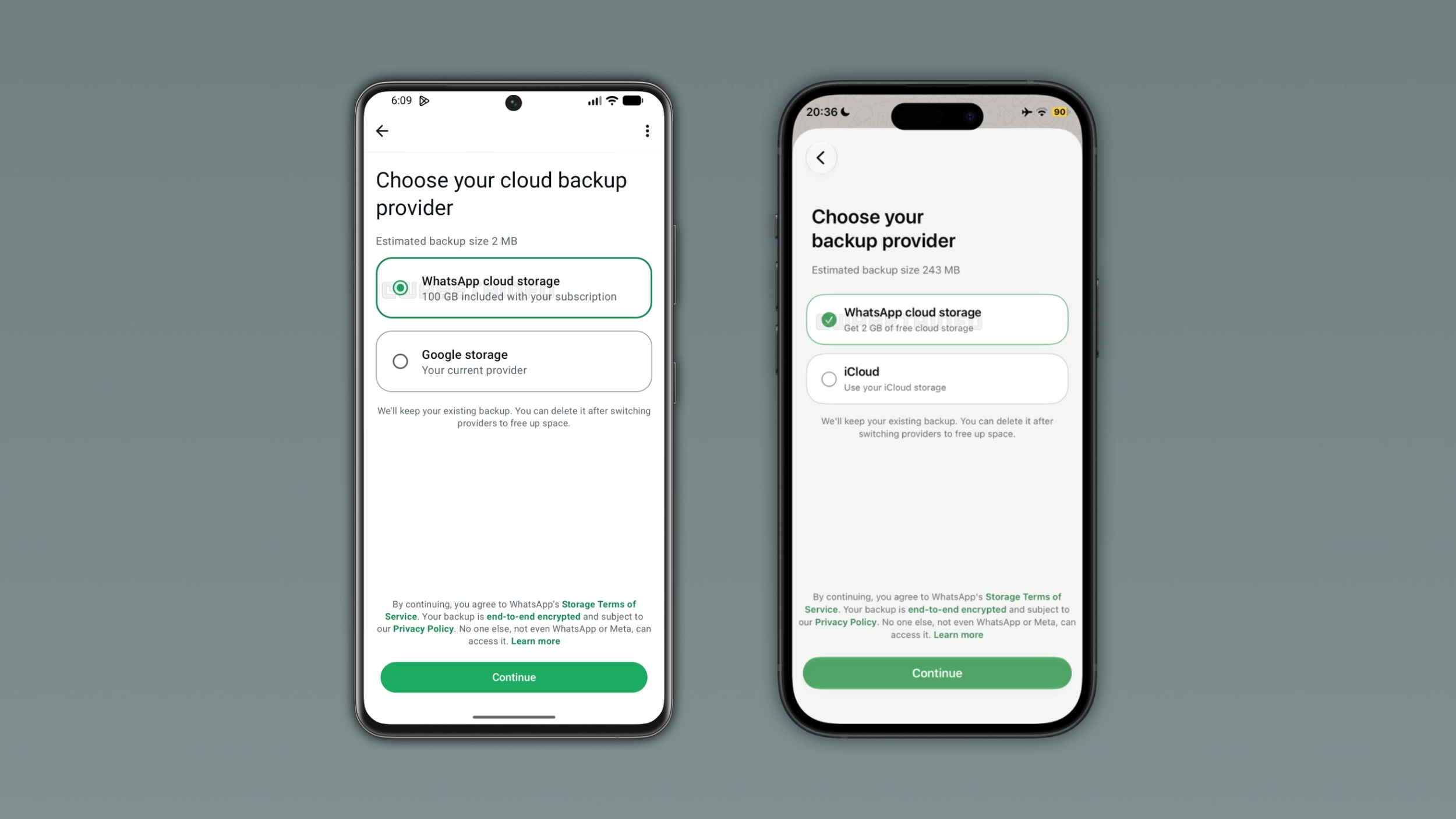
If your WhatsApp chats are eating into your iCloud or Google storage, there’s another option starting to show up. WhatsApp is testing its own cloud backup service on Android and iPhone, with 2GB of separate storage at no charge. The useful bit is that you can keep your chat backup in its own space without using up the allowance you share with your photos, files or other device backups. It is still an option for some accounts, not a change everyone should expect to see today.
Where the new WhatsApp backup option is showing up
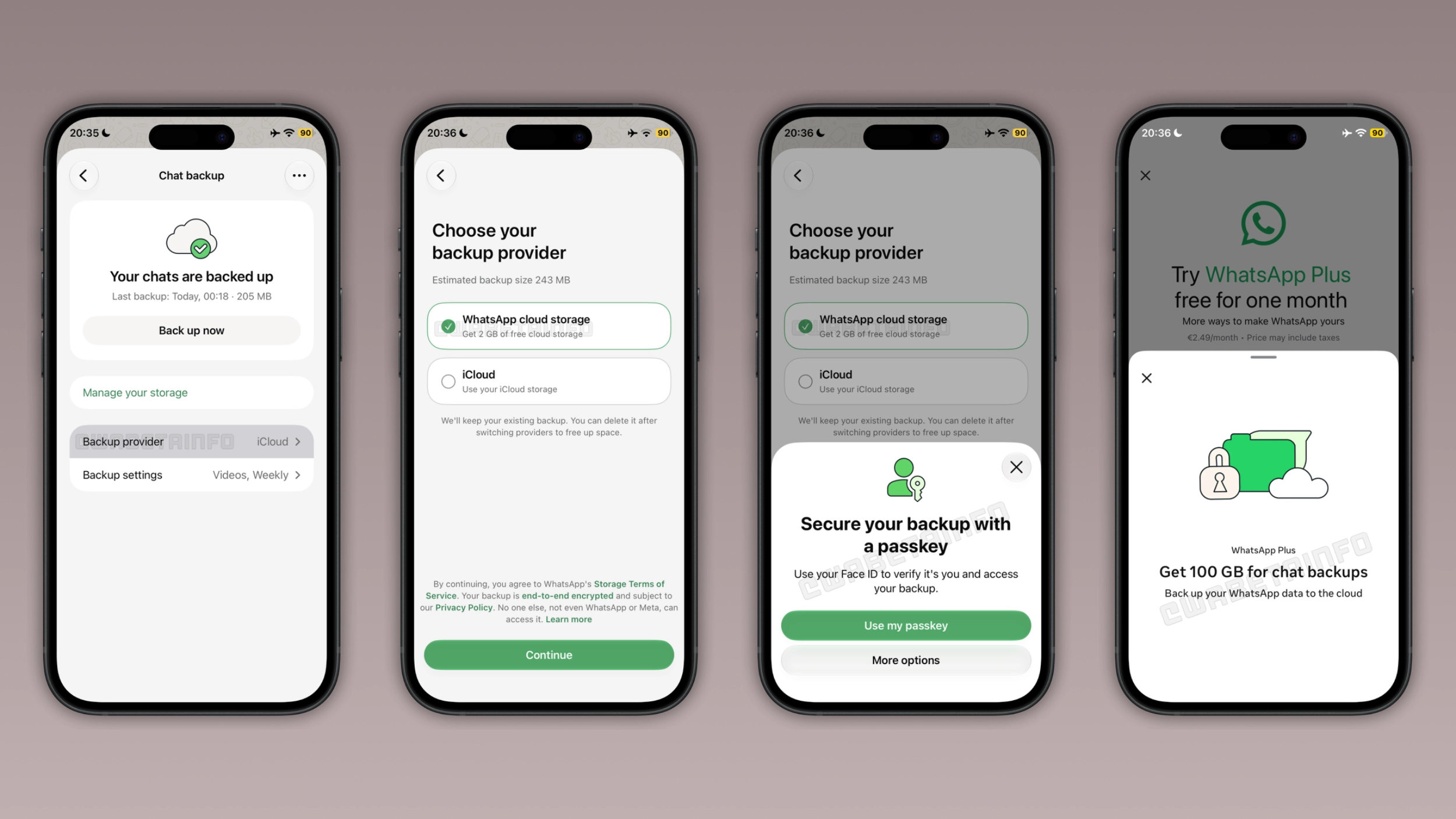
The backup choice was spotted in WhatsApp beta 2.26.46.4 on Android and 26.45.10.71 on iPhone. Where it has appeared, the Chat Backup screen under Settings lets users choose WhatsApp’s own storage or stay with the existing provider. That means iCloud remains an option on iPhone, and Google storage remains an option on Android. A compatible app build does not mean the switch is already visible on your account.
WhatsApp’s cloud storage terms explicitly describe the service as optional and confirm the free 2GB allowance. That allowance applies to your WhatsApp backup, not your entire phone. If a few busy groups and years of videos have pushed your existing backup past 2GB, the free tier may not be enough. Check the backup size before switching, rather than assuming it will all fit.
What changes for privacy and switching phones?
The early screens show that end-to-end encryption is required when you choose WhatsApp’s own storage. The setup offers a passkey or a 64-digit encryption key. The choice of backup provider and the way you unlock the backup are two different things. Before replacing a phone, make sure you know which provider holds the latest copy and how you’ll get into it again. Don’t remove a working backup just because the new setting appears.
There’s also a limitation that is easy to miss: using the same WhatsApp storage service on both platforms does not mean you can restore an iPhone backup on Android or the other way around. The reported beta behavior still requires the built-in chat-transfer process when you move between platforms. The cloud option is an alternative place to keep a backup, not a replacement for that migration flow.
For now, open WhatsApp’s Chat Backup settings if you want to see whether the choice has reached your account. If it hasn’t, your existing provider still works as before and there’s no reason to change it just for this update. WhatsApp has not announced when everyone will get the option.



Letters to the editor
0 commentsNo comments yet. Be the first to write in.