
News
Signal Adds Screenshot Protections on iOS 27 and Supported Android Devices
Signal’s new protections target on-screen AI access. Here’s how the iPhone and Android settings differ, and why they don’t cover the Mac app.
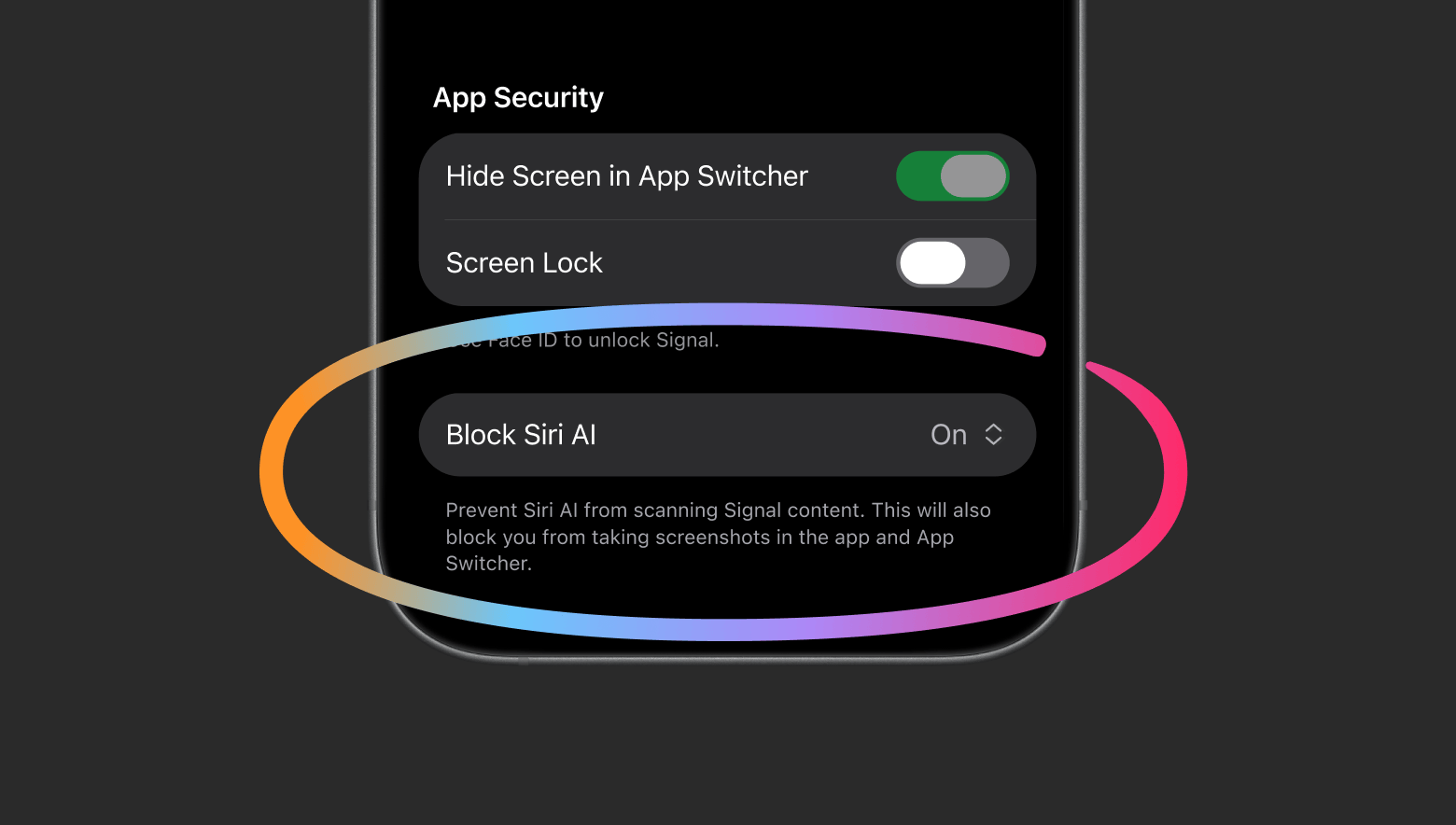
Signal is adding a safeguard for a part of private messaging that has little to do with sending a message: what happens after the words are already on your screen. In a November 20 announcement, the company detailed different measures for iOS 27 and Android. Both are aimed at operating-system assistants that can work with what’s visible in an app, but the exact behaviour depends on the device.
On iOS 27, Signal is using screenshot blocking to restrict on-screen access by Siri AI. The company showed a new setting called Block Siri AI in the app’s Privacy menu. With it enabled, there’s a practical trade-off: it can also stop you from taking a screenshot yourself. Signal says users can turn the protection off in settings if they need to capture the screen, while warning that this can make what’s visible available to an assistant again.
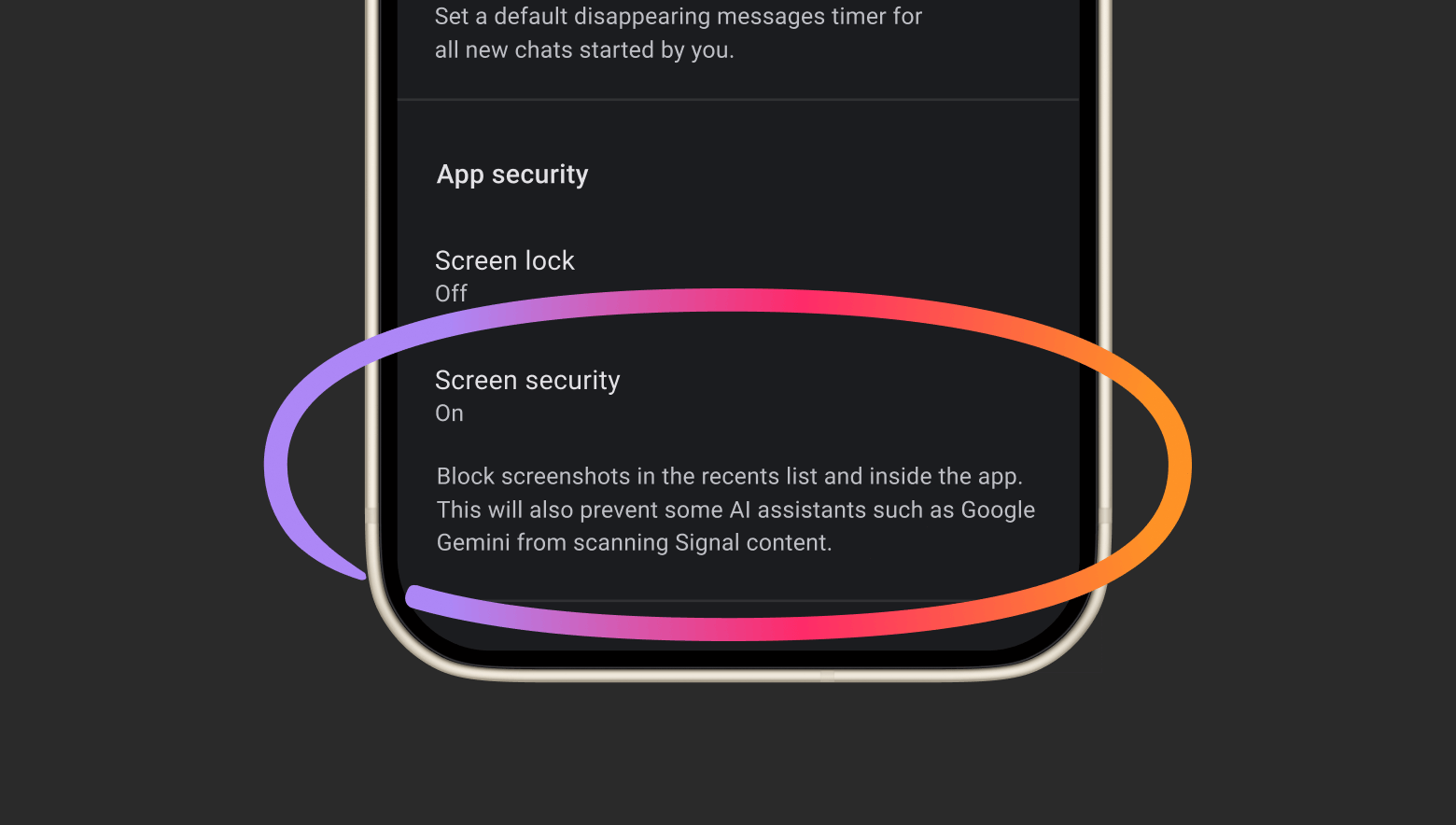
Android works differently. Signal says it can detect attempts by AI assistants to read the Signal screen on some Android implementations. Where it can detect an attempt, it automatically enables the app’s Screen security setting. The announcement doesn’t name a minimum Android release or a full list of phones, so don’t expect a universal on/off change across every handset. Signal shows what the enabled setting looks like in Privacy.
This is separate from end-to-end encryption. Encryption protects a message sent between devices, while the new setting deals with content after your phone has decrypted it and displayed it to you. That distinction is why the company says blocking screenshots is only one layer of protection. It doesn’t rule out every other path an assistant might use to access data on a device.
Signal also says it can’t currently apply the same screenshot block in its macOS app. For macOS 27, the company points users to Siri’s settings to limit proactive access to Signal, which isn’t a replacement for the mobile screen protections. The main thing to check if you use Signal on multiple devices is which options are actually shown in the app on each one.



Letters to the editor
0 commentsNo comments yet. Be the first to write in.