
News
PhoneBox 0.9.29 Lets You Use a Shared Mouse on an Old Android Phone
PhoneBox 0.9.29 adds shared-mouse support to its Android desk panel, along with easier swipes and better Windows CPU temperature readouts.
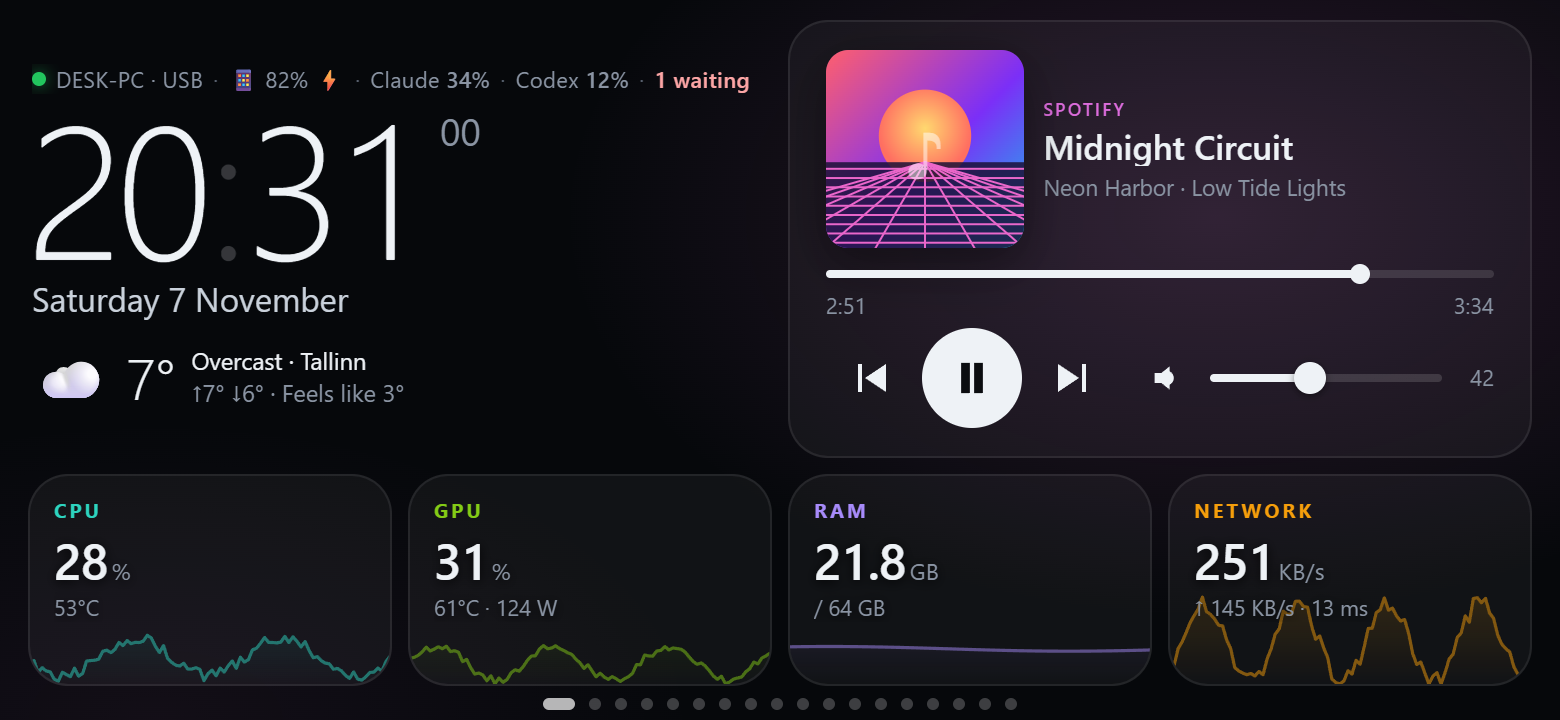
An old Android phone can make a useful second screen, as long as it has something to show. PhoneBox turns one into a little desk panel for your computer, with room for things like what’s playing, your CPU temperature or a row of buttons for apps you use all day. The open-source project’s 0.9.29 update arrived on November 23 with a small but useful change: you can now operate the panel with a mouse shared from your computer.
The mouse can now cross over to the panel
The release notes point to Input Leaf paired with Deskflow or Barrier. If you already have one of those setups, a shared mouse can now click, drag and long-press inside PhoneBox. Dragging with the main button also works like a finger swipe to switch pages. It doesn’t mean PhoneBox now shares a mouse by itself. The update makes the panel respond properly to the shared input.
Touch controls get a fix too. A sideways swipe can now turn the page even if it starts over a news feed, notification list or checklist. The list itself still scrolls vertically. On Windows, the update aims to stop CPU temperature readings from briefly going blank when a busy PC takes longer to answer. Neither change requires a different phone, but how useful it feels depends on how you use the panel now.
What can you put on a spare phone?
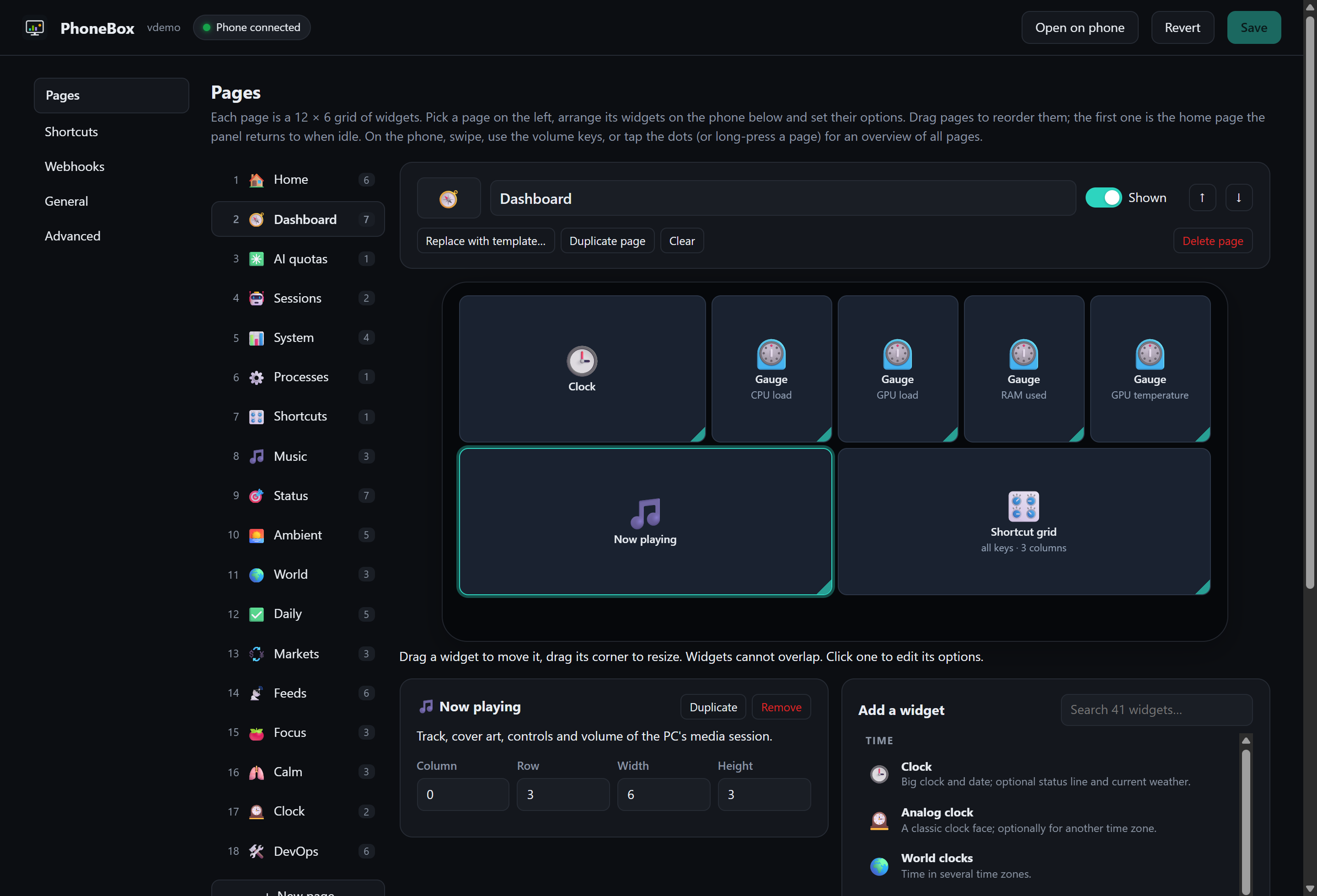
PhoneBox pairs a full-screen Android app with a desktop companion for Windows, Linux or macOS. A layout editor lets you decide what goes on each page. You could make one page a clock and media display, then keep system stats on another. The developer’s browser demo uses sample data, so you can swipe through layouts and see how it looks without installing anything first.
The Android app is distributed through GitHub, not an app store, and there is no iPhone version. PhoneBox supports USB or paired Wi-Fi and does not require a PhoneBox account. The developer notes that Windows builds are unsigned, so review the project’s documentation and requirements before deciding whether to install an experimental utility on your computer.


Letters to the editor
0 commentsNo comments yet. Be the first to write in.