
Hands-on
ORICO MH8P hands-on: A USB-C hub that clamps onto the edge of your desk
ORICO’s silver 8-in-1 hub brings USB, headphones and 4K HDMI within reach without leaving another dock loose on the desk.
Most USB hubs solve one desk problem and create another. You get more ports, but now you've got another little box sliding around the desk when you pull a cable out. ORICO's MH8P attaches at the edge instead. In our hands-on video, you can see the silver hub fixed in place while we plug things into it. The best part isn't a number on the box. It's being able to put the ports exactly where your hand already goes.
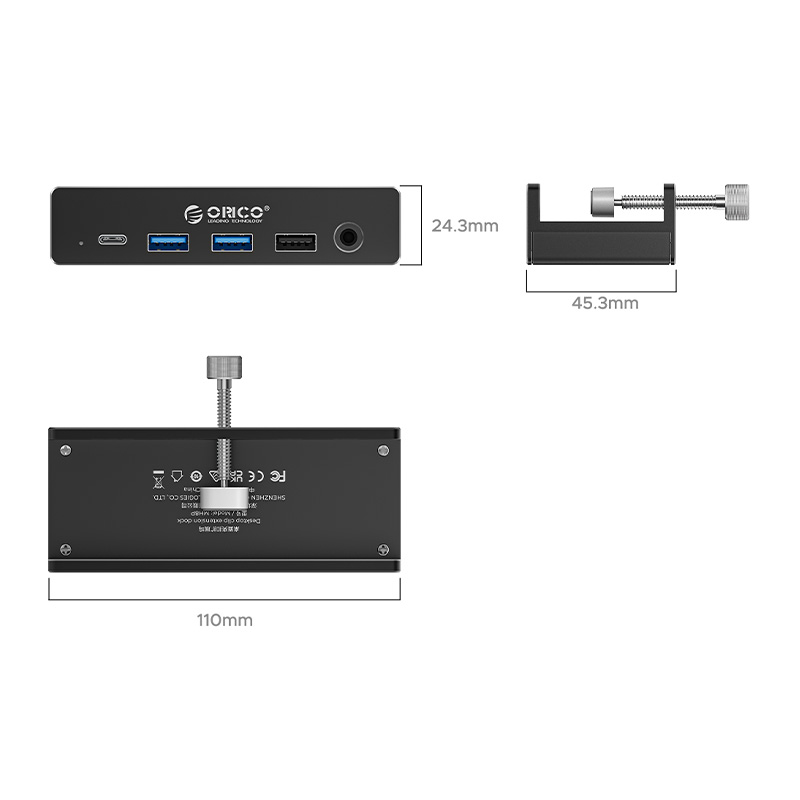
The clamp is the reason to buy this particular hub
Think of all the things you don't want to reach behind a computer for. A USB stick, headphones and a cable for the accessory you just put on the desk are good examples. An ordinary hub can bring those connections closer. The clamp means this one stays where you put it instead of moving every time a cable pulls on it. You do need an edge with room for the mount. I'd check whether there's a thick lip, a drawer, or a support bar underneath before deciding where it will sit. That's more important here than it is with a dock you can simply leave flat on the desk.
The ports you can actually put to work
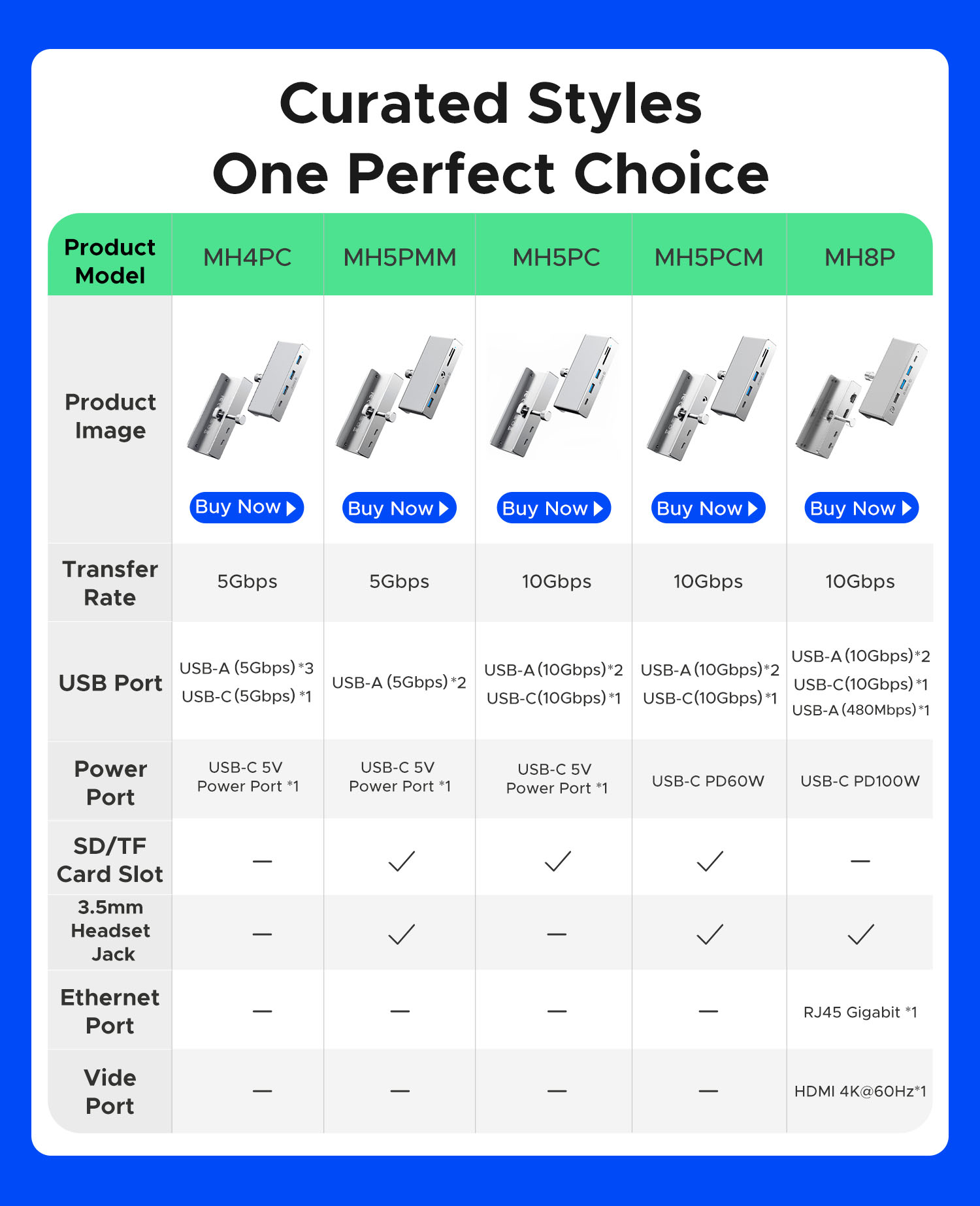
The official MH8P specifications list USB-C and USB-A connections, Gigabit Ethernet, a 3.5mm headset jack and HDMI rated up to 4K at 60Hz. The headphone jack is easy to spot in the video, and it makes sense if your laptop is in a stand across the desk. There are both faster and slower USB ports. A keyboard receiver can go in the slower one, keeping the faster connections free for things like an external drive. The HDMI specification is the hub's rating, not proof that every laptop will output 4K at 60Hz through it. Check that your computer's USB-C port carries a video signal, and that your cable and display can use the mode you want.
Better suited to a desk than a travel bag
I’d use the MH8P where a laptop or small desktop returns to the same place each day. Leave the display and network cables attached, then keep the ports you reach for near the front edge. If your gear moves between rooms and you rarely plug into anything but power, a smaller hub may be easier to carry. This one earns its space when the workstation stays put, and when having the same set of ports in the same place saves you from fishing around behind the screen.


Letters to the editor
0 commentsNo comments yet. Be the first to write in.