
Smartphones
Microsoft To Do is retiring on iPhone and Android in June 2027
The To Do apps retire June 30, 2027. Work and school users get a Planner path, while personal Microsoft accounts need a different app.
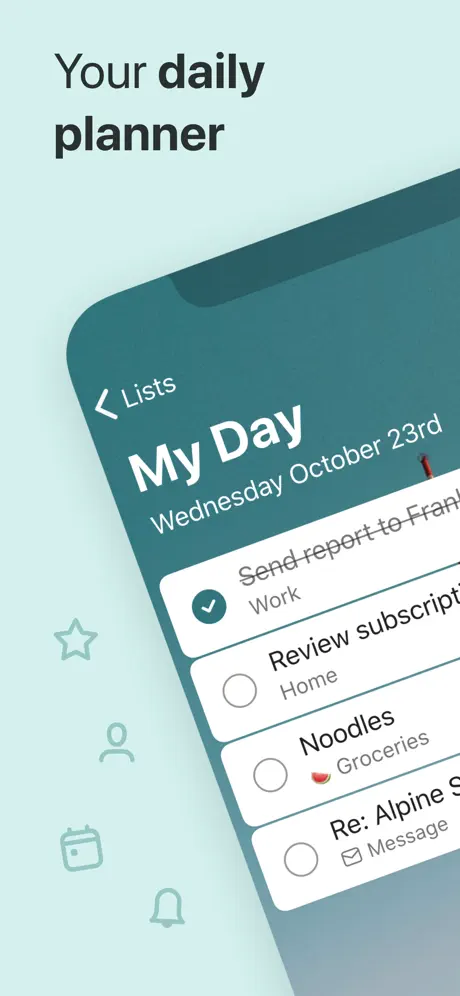
Microsoft To Do is going away. Microsoft has set June 30, 2027 as the retirement date for its apps on iPhone, Android, Mac, Windows and the web. If you use it to keep a shopping list or a running log of small jobs, the most important detail is which account you sign into. Microsoft is pointing work and school users towards Planner, but that option isn’t available to personal Microsoft accounts, including Microsoft 365 Personal and Family subscribers.
That doesn’t mean the app has stopped working now. Microsoft has announced the app cutoff in advance, and the service behind it, its APIs and related sync support have separate retirement dates that haven’t been announced. Microsoft also says the app retirement itself doesn’t schedule existing data for deletion. Those points are worth separating: data can still exist after the familiar app or a particular way to view it is gone.
The practical first step is to open the app and make a mental inventory of what you actually rely on. A list of groceries is easy to recreate. A set of recurring reminders, lists you share with other people and tasks that have notes or attachments may take more work. If you have both a work and a personal account, check both before assuming that a list belongs to the one you use most.

Planner is an option for work and school, not a full migration
Microsoft plans to start rolling out a refreshed My tasks view in Planner in December 2026. Existing To Do tasks can be viewed and managed in Planner through June 30, but they won’t migrate into its new private plans. Shared-list membership and permissions don’t carry over either. And if your old routine depends on alarms at specific times, Microsoft says Planner’s due-date notifications work differently from individually scheduled To Do reminders.
For personal accounts, the decision is simpler but less convenient: pick a different task app. It’s worth trying one or two real reminders there first, particularly if you need the same list on an iPhone and a Windows PC or share it with someone on Android. Make sure a reminder actually appears at the right time, and that the person you share with can add and check off items.
Microsoft promises an export option before the apps retire. It hasn’t published the detailed instructions yet and says an export does not guarantee you can import the data into another app. Source: Microsoft’s To Do retirement and transition guidance.



Letters to the editor
0 commentsNo comments yet. Be the first to write in.