
Hands-on
iRe5 X Module hands-on: Add a microSD slot without replacing your phone
The iRe5 X Module puts a removable microSD card on the outside of a compatible phone and leaves room to connect other gear.
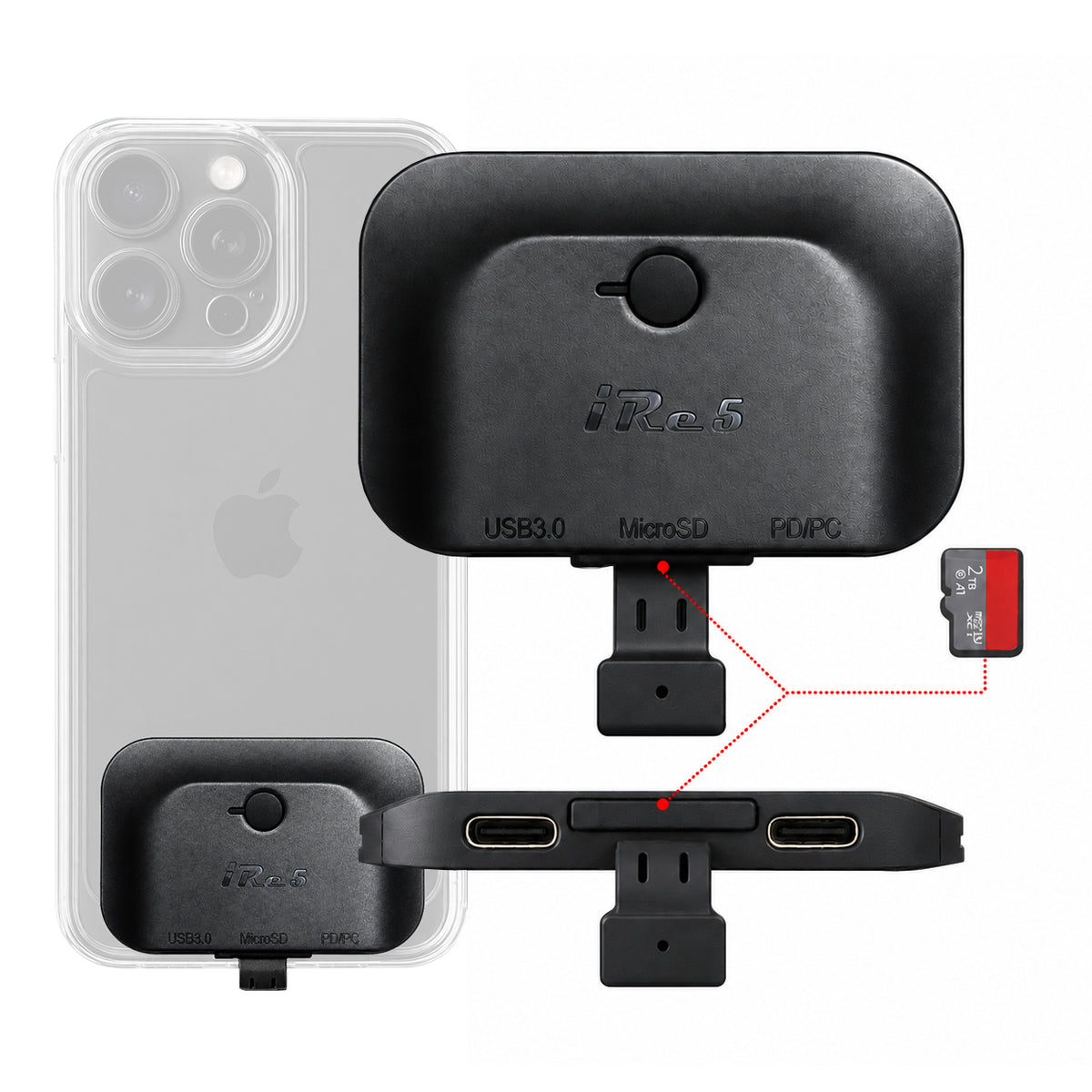
Getting a storage warning halfway through filming is no fun, particularly when the phone does not have a microSD slot of its own. The iRe5 X Module puts the slot on the outside instead. That is the quick idea behind our hands-on video. You connect the module to a compatible phone and get a place to put a removable card, without replacing the phone or moving everything to the cloud. The card is external storage, though. It does not give the phone more room for apps or make that internal storage warning disappear on its own.
It is easy to confuse the X Module with iRe5’s Gen 2 Storage Case. They are different pieces of hardware. The Storage Case wraps around a particular phone model, whereas the X Module is the separate attachment. That distinction matters if you switch phones or already have a case you like. The module gives you more options, but you still need the right connector and a setup that physically fits. A thick case or a phone rig can change whether a plug seats properly. The product page is a better place to check the exact handset configuration than the words “iPhone and Android” on the box.

What the extra slot is good for
The immediate use is moving files. Put footage on a compatible card, carry it to the computer and get on with the edit. That can be easier than sending a folder of clips over a slow connection. iRe5 lists support for microSD capacities up to 2TB, but that number tells you how much the card can hold, not which recording modes it can sustain. If you want to record straight to external storage, check the phone, the camera app and the media speed requirements first. Do not buy a large card on capacity alone and assume it replaces an external SSD for every video format.
iRe5’s support page also lists compatible SSDs and other USB accessories for the X Module, and says charging while using storage is possible with the right setup. That makes the module more interesting than a card reader you only plug in after a shoot. The trade-off is more gear on the phone, and a memory card is not a backup until you have another copy. If you mostly need to clear space once in a while, a plain reader still does the job. If you keep running into storage limits while shooting away from a computer, the removable card slot is the reason to look at this one.


Letters to the editor
0 commentsNo comments yet. Be the first to write in.