
Hands-on
iRe5 Gen 2 Invisible Storage Case Review: Add a microSD slot to your iPhone
The iRe5 Gen 2 case brings a removable microSD card, a charging port and a separate data port to the iPhone 17 Pro.
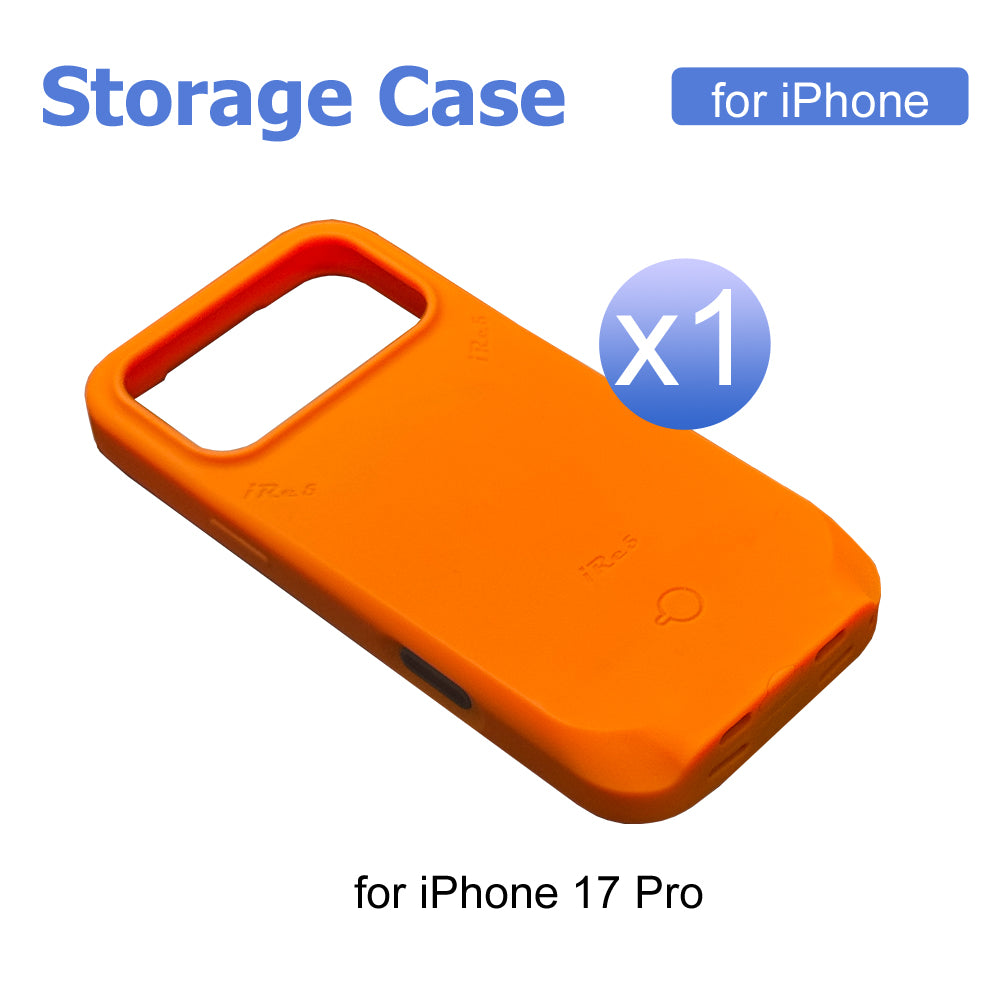
The iRe5 Gen 2 Invisible Storage Case puts a microSD card slot on the iPhone 17 Pro without an adapter dangling underneath. In our hands-on video, we show how the case connects, where the separate charging and data connections sit, and how a button turns off the card connection when you don't need it. The appeal is simple: the storage stays with the phone, but you can swap the card when you want a different library or more room for files.

How the microSD case works
This is storage you plug in, not a change to the storage Apple built into the iPhone. The case connects through the phone's USB-C port, and the card is removable. The clip makes the difference from a loose USB reader easy to see. Nothing needs to hang off the end of the phone while you're using it. The obvious situations are ones where you already have files you want to take with you: offline movies, a local music collection or documents you routinely move between devices. It does not create extra space for installing apps on the phone, and it doesn't replace a backup.
Separate charging and data ports matter
The bit I'd pay attention to is the pair of connections. Using the phone's USB-C port for a card reader usually leaves you deciding which thing to plug in first. iRe5 gives the case a connection for power and another for peripherals. The switch also lets you disconnect the storage when you want to leave the case fitted. That feels more useful for everyday use than taking the case off each time you stop working with a card. The manufacturer lists capacity up to 2TB. We didn't run a transfer-speed test or fill a 2TB card in the video, so those are specifications rather than results.
What to check before buying
Start with your precise phone model. The case we showed fits the iPhone 17 Pro, and there are separately sized options for other phones. Don't assume a Pro Max version will fit just because the name sounds close. Check whether the case includes a card in the listing you choose. If you're buying it for recordings rather than a library of files, check the card and your video settings as well. Recording imposes a sustained write-speed requirement that doesn't matter quite as much for playing music or looking through existing photos. This review covers the layout and storage controls; it doesn't certify the case for every recording workflow.
The Gen 2 makes the most sense if you use removable storage often enough to leave it on your phone. For an occasional transfer, a USB-C card reader you can put back in a drawer is still the simpler buy.


Letters to the editor
0 commentsNo comments yet. Be the first to write in.