
Smartphones
HyperCam Trigger 1.2 adds a guided first shot and dual-camera capture on iPhone
The iPhone camera app can already fire at a clap, motion or lightning. Version 1.2 makes the first shot easier and lets supported iPhones use both cameras at once.
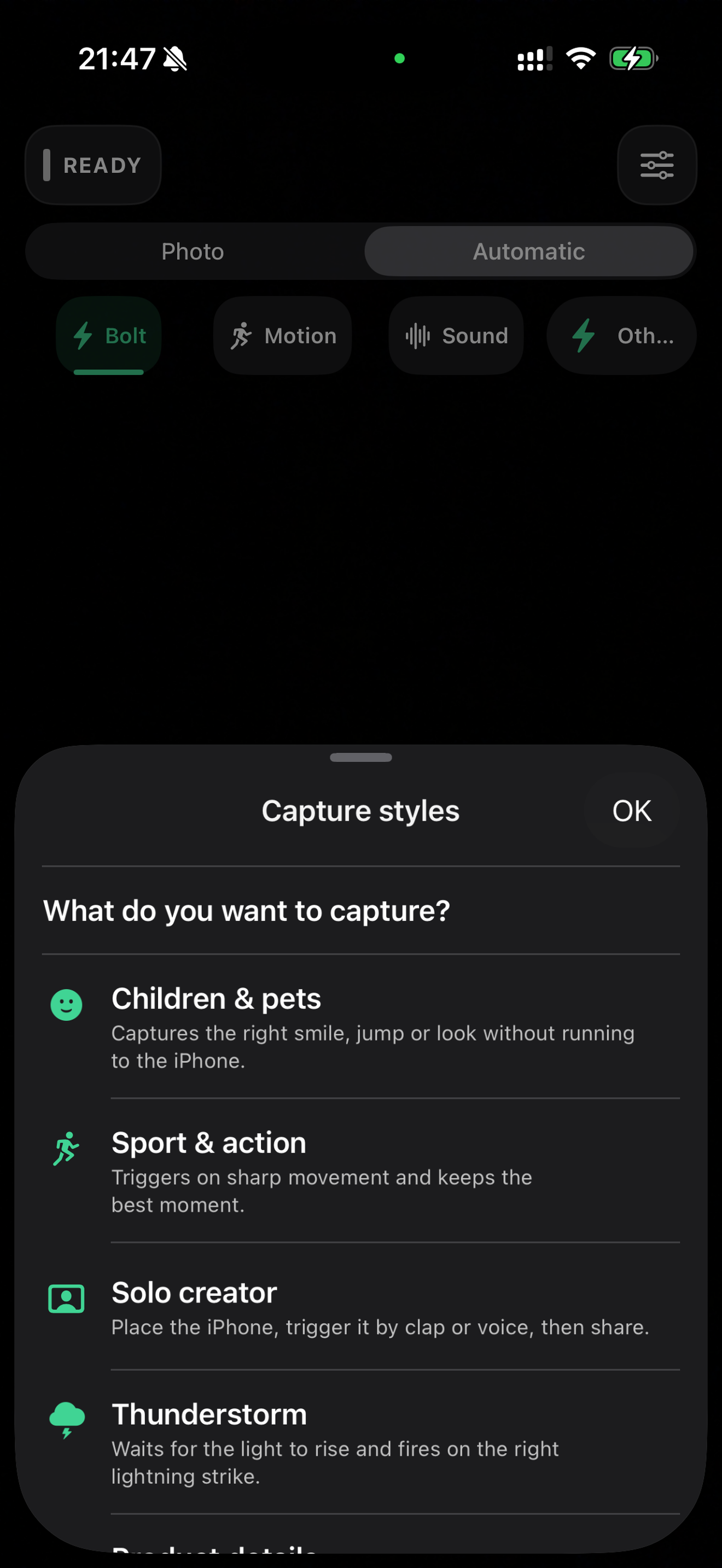
The group photo always seems to start with someone tapping a timer and sprinting back into the frame. HyperCam Trigger takes a different approach: set the iPhone down, arm the sound trigger, get into position and clap when everyone is ready. Version 1.2 of the camera app adds a guided setup that walks you all the way to a saved photo. It also adds a separate dual-camera mode for compatible iPhones, so the rear camera can record the scene while the front camera captures your reaction.
Pick what should take the photo
The guide starts by asking what you’re trying to capture. Pick a group photo, a moving subject or lightning, and the app selects a matching trigger. You still frame the shot and arm it yourself. The guide stays on screen until you get a photo, offers help if nothing happens and can be restarted in Settings. You can always use the regular shutter instead.
Sound is the easiest mode to picture, but light and motion are where the idea gets more interesting. A sudden change in brightness can request a shot in Lightning mode, while movement in the frame can do the same in Motion mode. The app has to stay open and armed, and detection doesn’t guarantee the camera will be ready in time. Think of it as another way to try for a tricky shot, not a promise that every flash or moving subject will make it into the gallery.

Front and rear cameras can shoot together
On iPhones that support simultaneous capture, version 1.2 lets you take a photo or record video using the front and rear cameras at once. You can put one view in a small overlay or split the frame, then save into HyperCam or directly to Photos. That could be handy if you want to show what you’re looking at and your reaction in one clip without lining up two recordings later. The update also adds quicker ways to zoom, including pinching the preview or dragging the zoom control.
What you get without paying
HyperCam is a free download with optional in-app purchases and lists iOS 17 or later as its minimum requirement. The basic triggers and dual-camera mode, on supported hardware, are in the free tier. Pro adds tools such as selected subject filters, longer capture buffers and RAW options on compatible devices. If your only goal is to get everyone into the group photo, start with the sound trigger rather than paying for tools you may not use.
Official version 1.2 notes on the App Store · Developer press kit



Letters to the editor
0 commentsNo comments yet. Be the first to write in.