
Hands-on
ESP-Mosaico review: A tiny touchscreen that can become a new gadget
Espressif’s modular touchscreen can be a camera, a tiny controller or a desk tool. The fun is switching jobs, but software, accessories and USB power make a difference.
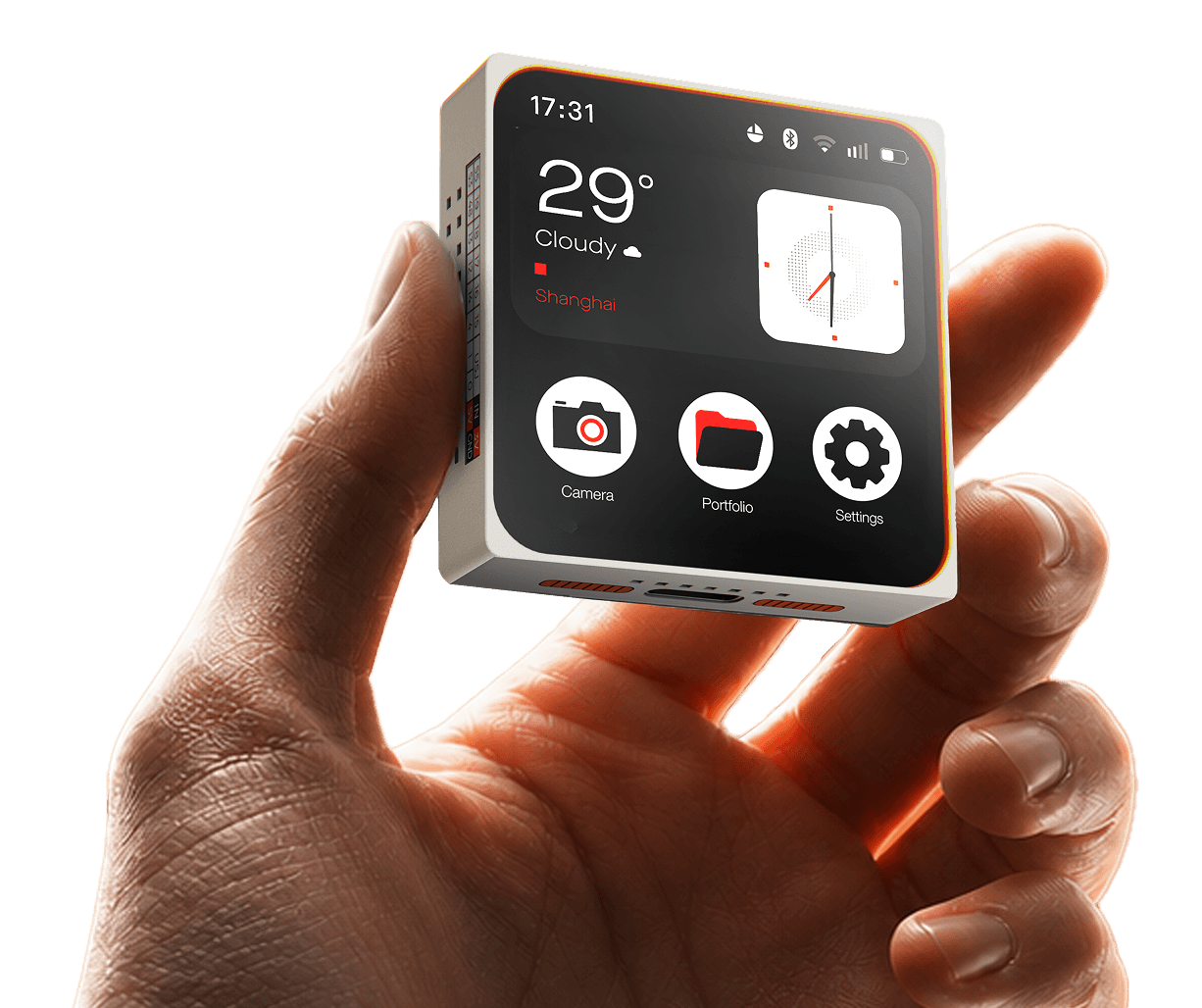
ESP-Mosaico makes more sense when you see it change jobs. In our hands-on video, the same little square goes from an AI tool to something you can use with a camera. That’s what I find interesting about it. Instead of buying a tiny clock, a tiny game console and a tiny controller, you start with one touchscreen and decide what you want it to do. The catch is that plenty of the things it can do aren't ready to use as soon as you open the box.
The fun part is deciding what to make
The camera is a module, not part of the screen
The camera is one of the easiest ways to see what the hardware design is doing. Attach it to the left expansion slot and flip it to face toward you or away. If you want the manual focus adjustment shown in the video, check the revision before you buy. Espressif’s camera guide distinguishes the camera boards. The focus ring belongs to the V1.4 module, and the board marking is the way to identify it.
The USB webcam trick is more specific than simply plugging in any Mosaico and opening a video call. The community USB webcam project calls for the V1.4 camera and compatible firmware. It targets 640 × 480 at 25 frames per second and starts with capture off until you turn it on from the touchscreen. I’d think of it as a useful second life for a module you already have, not as a replacement for a high-resolution webcam. Power off before connecting or removing modules and follow the installation guide.
The other jobs depend on the software
The keyboard and mouse-like controls are a good example. TouchType is a community project that turns the touchscreen into a Bluetooth touchpad or compact keyboard. The controls make sense if you want an occasional spare input surface, not if you’re replacing the keyboard you type on all day. The same idea applies to music and video. The Mosaico Hub project lists MP3 playback and AVI support; that isn’t a promise that it can play every file you have.
Clocks, timers, games, weather and remote controls use different software, and some call for additional hardware. If controlling a particular TV is your reason for getting it, check the infrared module and the specific project’s compatibility instead of assuming it replaces every remote. I’d choose two or three things I actually wanted to try and see how those work before getting lost in the catalog. I haven’t tested every combination.
Plan on using USB power
Espressif’s FAQ puts the built-in battery at 65mAh. Its figures are about 15 minutes with just the display on, ten with Wi-Fi and the display, and five with Wi-Fi, the display and the camera. Those are the maker’s test figures, not my timings. Espressif also lists a separate roughly 1,000mAh battery module. I’d use USB-C power at a desk and treat the built-in battery as short-term power, not buy it expecting it to last all day unplugged.
What I like about Mosaico is that the screen doesn’t lock you into the first job you bought it for. A module or an app can send it in a different direction. If you want one appliance that does a single job immediately and reliably, a dedicated device may be easier. If the fun for you is seeing what else the same piece of hardware can become, this little screen gives you a lot to play with.
The assistant has a voice and text interface. I wouldn’t treat voice as the only way to use it: the device needs an internet connection for its AI model, and the voice service temporarily errored while I was trying it. Text provides another way to send the prompt. Espressif’s official overview also describes a separate build workflow for more involved projects. Describing a quick tool is one thing; developing and debugging something larger is another. The device makes starting a small project easier, not every project automatic.




Letters to the editor
0 commentsNo comments yet. Be the first to write in.