
News
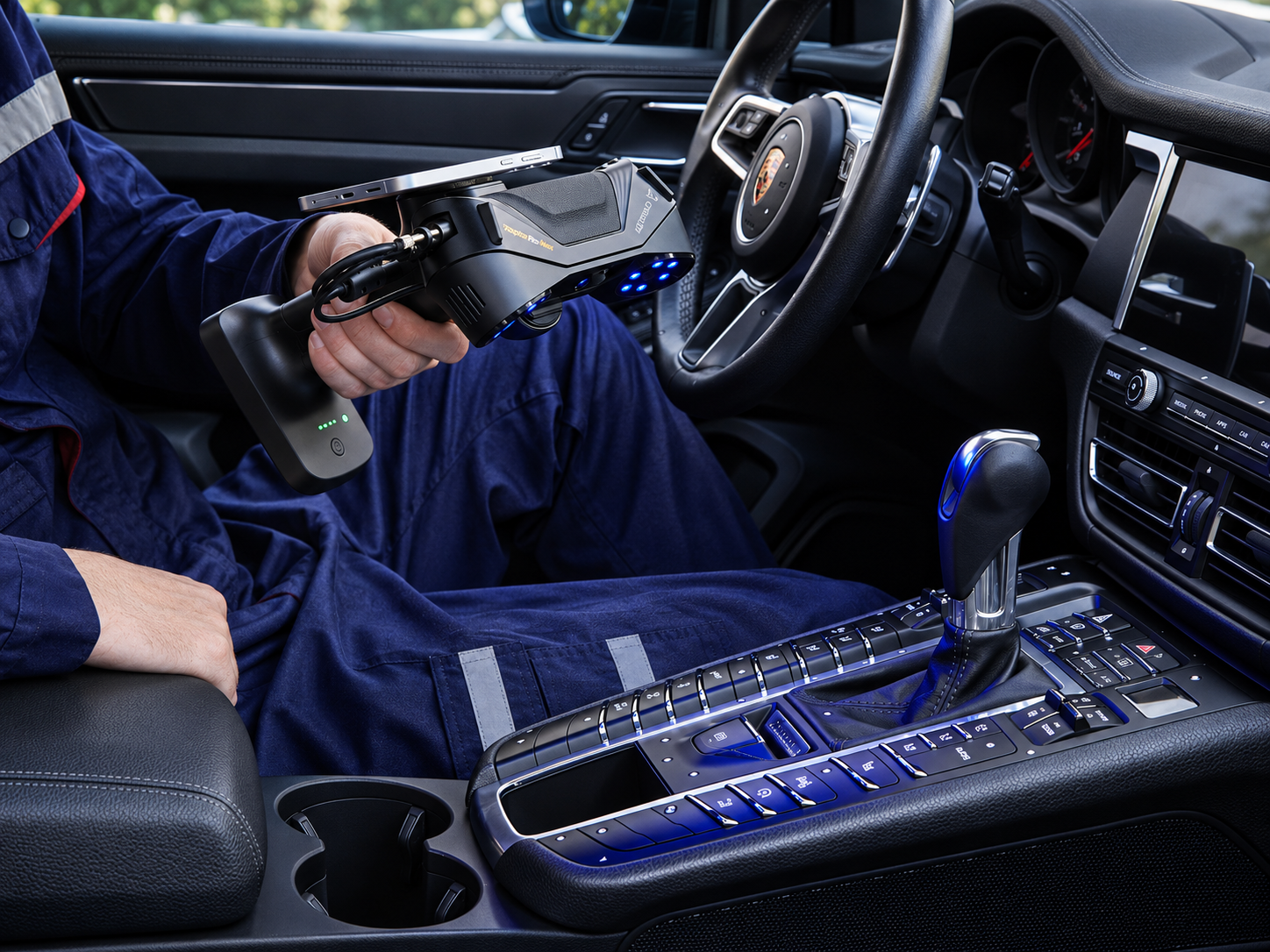
Creality Raptor Pro Max uses 42 blue laser lines to scan larger car parts
Creality’s new handheld scanner adds a wider capture area for bumpers and body panels, with separate fine-detail and infrared modes.

You can measure a bolt hole with calipers. Getting the curves, edges and mounting points of an entire car bumper into one digital model is a different job. That is the problem Creality is aiming at with the Raptor Pro Max, a handheld 3D scanner it announced on November 19. The headline change is a jump from 22 to 42 crossing blue laser lines compared with the Raptor Pro. Creality says the extra coverage lets you keep more of a large part in view as you move around it.
Why a wider scan matters
In its widest blue-laser mode, Creality quotes a capture area of up to 480 by 330mm at a working distance of 550mm. That is the area the scanner can see in one capture under the stated conditions, not a maximum size for the finished scan. The final model is assembled from many overlapping views. Having more geometry in consecutive views gives the tracking software more of the same surface to match as you sweep across a panel.
The company also rates this mode at up to 1.26 million measurements per second. That is a manufacturer peak, not a measured time to scan and prepare a real part. How much work you save depends on what you’re scanning. A smooth or reflective panel can still be harder to track than one with clearly defined edges. Recessed areas, awkward angles and the need for tracking markers can all change the setup, even with a faster scanner.
Three ways to capture the same project
There is a seven-line parallel blue-laser mode for fine details, alongside the wider 42-line mode for covering more area. Creality also includes near-infrared structured light for faster capture of suitable medium and large objects, with its own tracking options. The point is not to use the highest headline setting for everything. It’s to have a mode for the shape of a large part and another for the small feature that actually determines whether a replacement fits.
Creality’s preview software lets the operator check what has been captured on a connected computer while working. That does not turn a scan into a ready-to-use replacement part on its own. A captured mesh can make a useful design reference, but it may need cleanup and measurements checked before fabrication. The Raptor Pro Max looks most useful for people who repeatedly need to capture the shape of a physical object they can’t easily redraw. For everyone else, the important number is not how many laser lines it fires, but whether moving from a part to a usable model is a job they need to do often.
Source: Creality launch announcement | Official product details



Letters to the editor
0 commentsNo comments yet. Be the first to write in.